
Designing a home can feel exciting, but it can also become confusing when you have too many choices. You may wonder which colors work together, where furniture should go, or how a room will look before you spend money. Learning How to Use AI for Home Design can make these decisions easier by helping you turn rough ideas into clear visual concepts.
AI home design tools can suggest layouts, create room images, test color combinations, and show different decorating styles in seconds. They do not replace your taste or the skill of a professional designer, but they can give you a useful starting point. They are especially helpful when you want to explore options before buying furniture, paint, lighting, or decor.
This guide explains How to Use AI for Home Design in a simple way, even if you have never used an AI design tool before. You will learn how to plan rooms, write better prompts, compare design options, avoid common mistakes, and turn AI suggestions into practical changes for your real home.
What Does How to Use AI for Home Design Actually Mean?
When people talk about How to Use AI for Home Design, they usually mean using artificial intelligence tools to plan or visualize a room, house, or decorating idea. These tools can work from a written prompt, a photo of your room, a simple floor plan, or a list of your preferences. The result may be a realistic room image, a layout suggestion, a color palette, or a group of design ideas.
For example, you can upload a photo of your living room and ask an AI tool to show it in a modern, Scandinavian, farmhouse, minimalist, or luxury style. You can also ask it to keep your current sofa while changing the wall color, curtains, rug, and lighting. This makes it easier to explore ideas without physically moving or buying anything first.
The best way to understand How to Use AI for Home Design is to treat AI as a creative assistant. You provide the goal, room details, limits, and style. The AI then gives you ideas that you can review, improve, combine, or reject based on what actually works in your space.
Why Use AI Before You Start Decorating?
One of the biggest benefits of How to Use AI for Home Design is speed. Traditional planning can take hours of browsing through furniture websites, saving inspiration photos, and trying to imagine how everything will look together. AI can turn the same basic information into several design directions within minutes.
It can also help you avoid expensive mistakes. A paint shade may look beautiful on a sample card but feel too dark on a full wall. A large sofa may look perfect online but overwhelm a small room. AI visualizations help you test these choices before you commit, although you should still confirm real measurements, materials, and colors in person.
How to Use AI for Home Design Step by Step

A strong result starts with clear information. Before opening an AI tool, write down the room you want to design, how you use it, who uses it, your preferred style, your rough budget, and anything that must stay. These details help the AI create ideas that feel connected to your real needs instead of producing a random beautiful room.
When learning How to Use AI for Home Design, begin with one room rather than your entire house. A bedroom, living room, kitchen, or home office gives you a smaller problem to solve and makes it easier to compare results. Once you understand the process, you can repeat it for other spaces.
After you receive your first result, do not stop there. Ask the AI to revise the design with clearer instructions, such as “make the room brighter,” “use warmer wood,” “add closed storage,” or “keep the walkway open.” Good AI design usually comes from several rounds of improvement rather than one perfect prompt.
1. Define the Purpose of the Room

Start by explaining what the room needs to do. A living room for a family with children needs different choices from a formal sitting room used mainly for guests. A home office for full-time work needs practical lighting, storage, and desk space, while a casual study corner may need much less.
Write down your top priorities before you think about style. For example, you may need seating for six people, storage for toys, a reading corner, space for a television, and a clear path to the balcony. This functional list keeps the AI focused on the way you actually live.
2. Choose a Design Style

Next, decide on a broad style direction. Common choices include modern, minimalist, Scandinavian, farmhouse, industrial, coastal, Japandi, traditional, and contemporary. If you are unsure, ask the AI to show the same room in three different styles so you can compare them side by side.
You can also mix styles, but give the tool a clear balance. For example, ask for “a warm modern living room with light Scandinavian influence” rather than listing five unrelated styles. A focused style description usually gives you a more consistent result.
3. Add Real Measurements and Limits
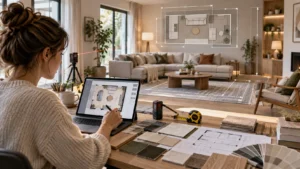
Measurements matter because AI images can look realistic while still showing furniture that would never fit. In How to Use AI for Home Design, accurate dimensions turn a pretty concept into a more practical starting point. Include room width, length, ceiling height, door positions, window locations, and the size of large items you plan to keep. This is one of the most important parts of How to Use AI for Home Design if you want ideas that can move from screen to real life.
Also mention limits such as a fixed budget, rental rules, small children, pets, low natural light, or the need for easy-clean materials. These details make the design more useful. A beautiful room is not a good design if it ignores the way the space must function.
How to Write Better AI Home Design Prompts
A good prompt is specific without becoming confusing. Instead of writing “make my bedroom look nice,” say what you want the room to feel like, what colors you prefer, what furniture should stay, and what problem you want to solve. A useful prompt might ask for a calm modern bedroom with warm white walls, natural wood, soft lighting, more storage, and a clutter-free look.
When using How to Use AI for Home Design, describe the room in layers. Start with the room type and function, then add style, colors, furniture, materials, lighting, and any restrictions. You can finish by asking for a realistic design that keeps the original doors, windows, and room proportions.
Try to change one or two things at a time when refining results. If you change the style, colors, layout, furniture, lighting, and materials all at once, it becomes harder to understand what made the design better or worse. Small revisions make comparison easier and help you build a final direction with more confidence.
How to Use AI for Interior Design
People often search for How to Use AI for interior Design when they want help with the look and feel of a room rather than the structure of a house. AI can support interior design by suggesting furniture placement, lighting ideas, wall finishes, flooring combinations, storage solutions, and room styles based on your preferences.
A practical way to use it is to upload a room photo and ask for several versions while keeping the same layout. You might compare a warm modern version, a light minimalist version, and a more colorful contemporary version. This helps you understand which direction feels most natural before you make purchases.
If you are learning How to Use AI for interior Design, remember that AI images are inspiration, not construction drawings. Always check real product sizes, electrical points, window clearances, door swings, and safety needs. Use the visual idea as a planning guide, then confirm the details before making permanent changes.
How to Use AI for Interior Design Ideas
Many homeowners struggle because they do not know where to begin. Searching for How to Use AI for interior Design ideas can help you create a starting point from a simple description of your room. You can ask AI for multiple mood directions, furniture styles, color palettes, storage ideas, and decorative details that match the same space.
Another smart use of How to Use AI for interior Design ideas is to ask for alternatives at different budget levels. For example, request a low-cost refresh using paint and decor, a mid-range update with new furniture, and a larger renovation concept. That makes the ideas more useful for real planning.
How to Use AI for House Design
How to Use AI for house Design is slightly different from decorating a room because whole-house planning includes flow, room relationships, natural light, storage, and circulation. AI can help you explore early concepts such as where a kitchen might connect to a dining space or how an open-plan area could be organized.
If you are exploring How to Use AI for house Design, provide more than a style request. Include the number of bedrooms, bathrooms, floors, parking needs, outdoor areas, workspaces, and any special needs such as elderly access. The clearer the brief, the more useful the concept will be.
However, AI should not replace an architect, structural engineer, or local building professional. A generated floor plan may ignore building codes, structural loads, drainage, ventilation, fire safety, or site conditions. Use AI for early ideas and visualization, then involve qualified professionals for technical planning and approvals.
How to Use AI for Interior Design Free
If you are researching How to Use AI for interior Design free, start with tools that offer free credits, trial images, basic room planning, or limited daily generations. Free options are useful for learning how prompts work, comparing styles, and deciding whether AI design is helpful before paying for a subscription.
A smart approach to How to Use AI for interior Design free is to test the same room prompt in two or three free tools. Compare which one keeps your room shape most accurately and which one gives the most realistic furniture, lighting, and proportions. Then choose a paid option only if you truly need more control.
How to Use AI for Home Decor Ideas
How to Use AI for home decor ideas is one of the easiest ways to start because decor changes are usually lower risk than major remodeling. You can ask for wall art ideas, rug styles, cushion colors, curtain choices, table decor, lighting accents, plants, shelves, and seasonal updates without changing the room structure.
When exploring How to Use AI for home decor ideas, save only the details that make sense for your room. AI may place too many objects or create decorative items that do not exist. Focus on the overall color balance, texture mix, visual rhythm, and styling direction rather than copying every object exactly.
How to Use AI for Interior Design Help
People searching for How to Use AI for interior design help often need support making a decision rather than generating a full room. AI can compare two furniture layouts, suggest a wall color, explain why a room feels unbalanced, or recommend ways to make a small space feel more open.
For How to Use AI for interior design help, the best questions are specific. Ask “Which rug size works better for a 10-by-12-foot living room with a three-seat sofa?” instead of “What rug should I buy?” Specific questions usually lead to advice you can actually apply.
How to Use AI for Home Interior Design
How to Use AI for home interior Design works best when you create a consistent design language across rooms. That does not mean every room should look identical. It means repeating a few connected elements, such as similar wood tones, a related color palette, matching metal finishes, or a shared level of simplicity.
When practicing How to Use AI for home interior Design, ask the AI to reference earlier decisions. For example, if your living room uses warm oak, cream, black accents, and soft green, tell the AI to continue that palette in the dining room. This improves consistency and reduces random design changes from room to room.
How to Use AI for Home Design Ideas Without Copying Every Image
Some people type How to Use AI for Home Design ieads when they are simply looking for inspiration. The useful goal is not to copy an AI image exactly but to identify what you like about it. That might be the room layout, wall color, lighting style, furniture shape, material mix, or the way the space feels.
When you collect several generated images, look for patterns. If you keep saving rooms with light wood, soft neutrals, rounded furniture, and simple black lighting, you are discovering your own preferences. Those repeated choices are more valuable than one perfect-looking image because they can guide your real purchases.
Another reason people search How to Use AI for Home Design ieads is that they feel stuck between too many options. Reduce the choices by selecting one direction and testing small variations. Compare three wall colors, two sofa shapes, or two lighting styles rather than asking for a completely different room every time.
Common Mistakes to Avoid
One common mistake in How to Use AI for Home Design is trusting the image more than the room. A better approach to How to Use AI for Home Design is to treat every image as a draft that must be checked against the real space. AI can create doors that do not exist, change window sizes, stretch walls, or place furniture in impossible spaces. Always compare the result with your real measurements and original photo.
Another mistake is buying too quickly. AI can make almost any object look attractive because the lighting and styling are controlled. Before purchasing, check dimensions, materials, reviews, return policies, and samples where possible. A beautiful AI image should guide your decision, not pressure you into one.
Final Thoughts
The easiest way to succeed with How to Use AI for Home Design is to use AI for exploration, not blind decision-making. Let it show you possibilities, compare styles, and help you solve visual problems, but keep your real measurements, budget, lifestyle, and personal taste at the center of every choice.
AI works best when you give it a clear brief and improve the result step by step. Start with one room, describe your needs, test different directions, and save the ideas that feel practical. You will usually get better results from a few focused revisions than from dozens of random generations.
Once you understand How to Use AI for Home Design, the process becomes much less overwhelming. You can move from vague ideas to a clearer plan, shop with more confidence, and make design decisions with a better sense of how the finished space could look.